
AI-first workspace for enterprise knowledge teams
Your documents. Your AI. One workbench.
Resonance is the AI-first workspace for knowledge workers. Ask questions across your files, structure meeting notes on the fly, and never lose project context again — all without leaving a single app.
- Full AI-assisted work with your documents and knowledge
- Edit and refine manually whenever you want
- Connect to your company tools and data
Enterprise beta • Limited teams per quarter
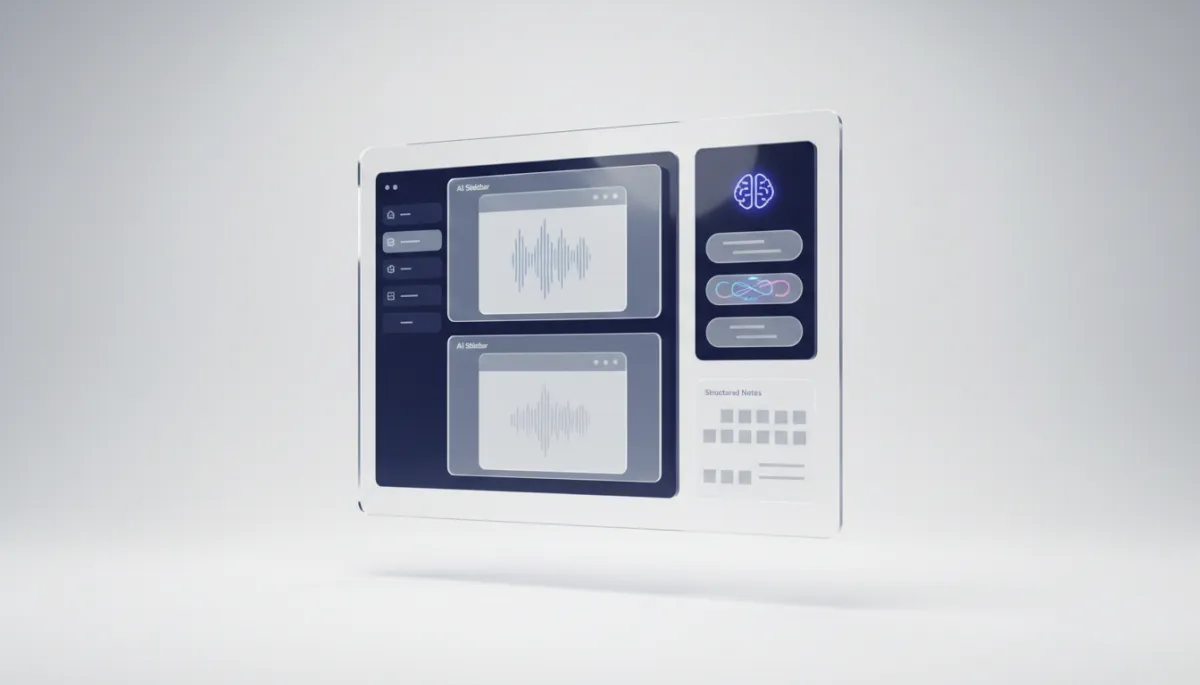
Desktop app for macOS and Windows • Designed for SOC2-ready deployments
What is Resonance Workbench?
One place where your documents and AI actually work together.
Resonance is a desktop application for macOS and Windows that brings your documents, notes, and AI into one place.
Most knowledge workers juggle five tools a day: a file manager, a note-taking app, a chat with ChatGPT, an email client, and a search bar that never finds what they need. Resonance replaces that juggling act with a single workbench where your AI actually knows your files.
Enterprise Beta Package
Designed for teams of 10–250 knowledge workers who need AI that respects enterprise realities: security, governance, and real workflows.
- Guided onboarding for 1–2 pilot teams
- Private workspace with your choice of LLM
- Priority feedback loop with the product team
- Security & architecture session with your IT
We accept a small number of enterprise pilots per quarter.
How it works
From scattered files to a living knowledge base.
Resonance turns your PDFs, notes, emails, and project docs into an AI-ready workspace that remembers context across every project.
1 · Drop in your files
Import PDFs, meeting notes, research, and emails. Resonance indexes everything, on your machine or inside your VPC.
2 · Ask, don't search
Ask questions like “What did we agree on the budget?” and get precise answers with source document and page number.
3 · Write and refine
Let AI draft from your knowledge base, then edit in a real editor — not a fragile chat window you can’t revisit.
4 · Keep project context
Switch projects without losing your place. Resonance remembers where you left off — even weeks later, across sessions.
Use cases
Built for the people who keep projects moving.
Resonance is a horizontal workbench — but these are the teams who feel the impact first.
Consultants & Freelancers
Five clients, a hundred documents, and the answer is buried somewhere. Resonance keeps every project's knowledge at your fingertips. Ask a question, get an answer — with the source.
Project Managers
Meeting notes that structure themselves. Status updates drafted from your actual project data. Context that survives from kickoff to go-live.
Students & Researchers
Build a personal knowledge base that grows smarter over time. Connect ideas across semesters, papers, and lectures. Your notes stop being a graveyard.
Back Office & Operations
Answer internal requests in minutes. Pull data from documents without copy-pasting between five tabs. Let AI draft responses based on what your team actually decided.
How Resonance is different
Not just a note app. Not just a chatbot.
Resonance sits between your storage tools, note apps, and AI chatbots — but with memory, structure, and real editing built-in.
The gap: Traditional tools store your files. Resonance understands them — and lets AI work with them safely.
The technical edge
You choose the AI model. You own the data.
Resonance is the workbench, not the landlord. Plug in the models and infrastructure your organization already trusts — or run fully offline.
- Works with any LLM (OpenAI, Google, Anthropic)
- Switch LLMs to challenge a draft, side by side
- Bring your own API key — stay in control of cost & data
- Run a local LLM for fully offline workflows
- Your data stays on your device by default
- Connect to company systems (CLI, MCP, internal APIs)
No lock-in. No cloud dependency. No privacy trade-offs.
Security & architecture briefing
Every enterprise beta includes a joint session with your security and platform teams to design the right deployment model:
- Desktop-only, local indexing
- Hybrid: local + private cloud services
- On-prem or VPC-hosted vector search
- Model routing & governance options
Share a few lines about your stack in the form and we’ll come prepared.
Stop switching between apps. Start working in one place.
Apply for a free spot in the Resonance Workbench beta. We prioritize teams with concrete workflows to test — and we’ll help you design a meaningful pilot.
- Free beta access for selected enterprise teams
- Hands-on onboarding with the product team
- Option to convert into a longer-term rollout
Average review time: 3–5 business days.
Apply for free Beta access
Tell us about your team, current tools, and what you’d like Resonance to solve first.
By submitting, you agree to be contacted about the Resonance Workbench beta. No marketing list, no spam.
Questions, answered.
A quick overview of how the beta works. Share anything more specific in the form.
Who is the beta for?
We focus on teams of 10–250 knowledge workers inside product, consulting, operations, research, and similar functions. You don’t need a dedicated ML team — but you should have at least one technical stakeholder for deployment decisions.
Is the beta really free?
Yes. The enterprise beta is free for the duration of the pilot. In return, we ask for structured feedback sessions and the option to discuss a longer-term rollout if Resonance proves valuable for your workflows.
How long does it take to get started?
Most teams are up and running within 1–2 weeks of approval. That includes the security/architecture call, IT sign-off on the deployment model, and a guided onboarding session for your pilot users.
What about security and compliance?
Resonance is built with enterprise constraints in mind: local or VPC-contained indexing, bring-your-own LLM, and clear data boundaries. We’ll walk through the details with your security and platform teams before anything goes live.